

Fast search by vehicle make and model
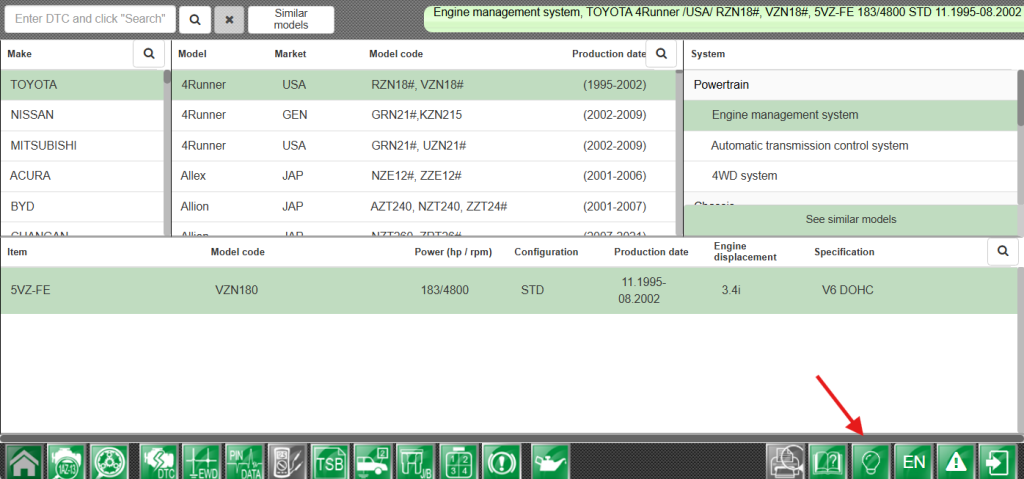
No more scrolling through long vehicle lists. Just click the “Search” icon, type the desired model name — and instantly access wiring diagrams, pinouts, and fault codes.
How it works:
-
Click the “Search” icon in the upper corner of the make and model lists.
-
Enter the full or partial model name.
-
Instantly get matching results and direct access to relevant data.
Built-in Interactive Training
A new learning mode with interactive hints helps users quickly master the interface.
When it starts:
- Automatically on first login (new browser, cleared cache, or incognito mode).
- Manually, via the “Lightbulb” icon available in every module.
Benefits of the Update
Time savings. The model search feature greatly accelerates navigation through the MotorData database— no need to manually look through hundreds of vehicle entries.
Quick onboarding for new users. Interactive training helps new service technicians start working confidently without studying documentation or relying on colleagues.
Convenience for the whole team. Even experienced users will appreciate automatic hints when logging in from a new device or after a browser update.
The update is already available to all MotorData Automotive Electrics web client users. The new features work automatically—just refresh the page the next time you log in.
